Scalable Locally Injective Mappings
This example aims to reproduce Figure 3 and 10 from the paper Scalable Locally Injective Mappings.
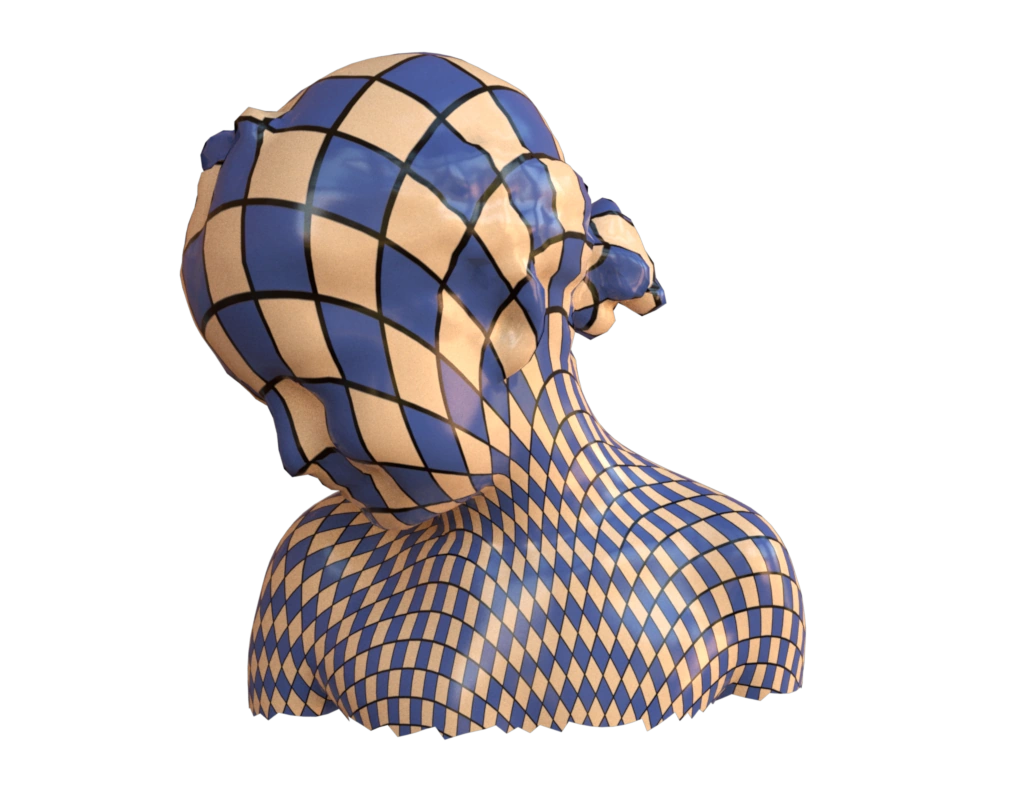
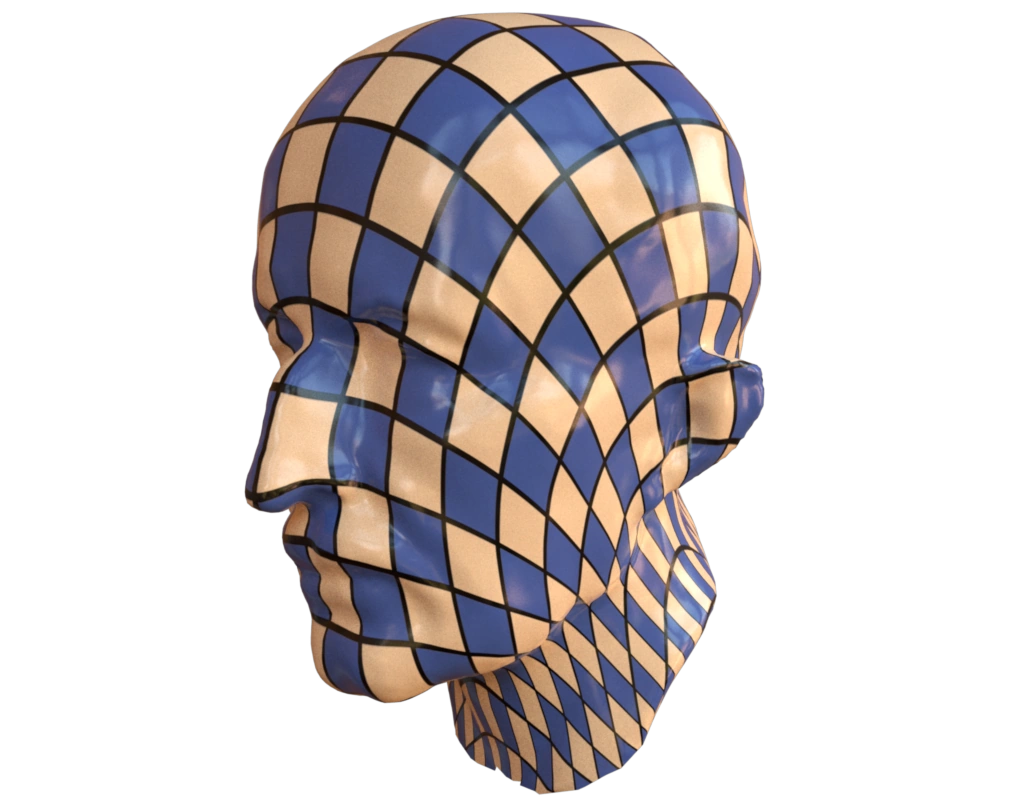
Interactive Figure 3 · Interactive Figure 10
Data
The data used in this example is the official data released by the authors.
Input contract
mesh: surface fromdata/fig3.obj;texcoord(indexed 2-channel uv).
Reproduce and inspect
Python · Manifest · Inspection · Canonical JSON · Validation
Code
#!/usr/bin/env python3

import hakowan as hkw
import pathlib
import math

hkw.set_default_backend("mitsuba")

# First, we define a base layer with the desired material+texture setup.
# This base layer serves as a template, where we will extend it with different
# data components later.
#
# Note that we are using image-based texture for color in this example.
# The UV is scaled by 10 times to have more repetitions of the texture.
base = hkw.layer().material(
    "Principled",
    color=hkw.texture.Image(
        filename=pathlib.Path("data/texture.png"),
        uv=hkw.attribute("texcoord", scale=10),
    ),
    roughness=0.2,
)

# Figure 3
fig3 = base.data("data/fig3.obj").rotate(axis=[0, 1, 0], angle=math.pi)

# Reuse one declarative camera for both models.
scene = hkw.SceneSettings(camera=hkw.PerspectiveCamera(eye=(0, 0, 3)))
RECIPE_FIGURE = hkw.Figure(fig3, scene)
RECIPE_INSPECTIONS = {"mesh": "data/fig3.obj"}

hkw.render(RECIPE_FIGURE, filename="results/fig3.webp")
hkw.render(RECIPE_FIGURE, backend="webgl", filename="results/fig3.html")

# Figure 10

# The input mesh comes at an odd orientation.
# We apply two rotations to fix the orientation issue.
# First, we rotate the mesh around the x-axis by -45 degrees.
# Then, we rotate the mesh around the y-axis by 135 degrees.
fig10 = (
    base.data("data/fig10_uniform.obj")
    .rotate(axis=[1, 0, 0], angle=-math.pi / 4)
    .rotate(axis=[0, 1, 0], angle=3 * math.pi / 4)
)

# Render both outputs from the same declared scene.
fig10_figure = hkw.Figure(fig10, scene)
hkw.render(fig10_figure, filename="results/fig10.webp")
hkw.render(fig10_figure, backend="webgl", filename="results/fig10.html")