Geodesics
Compute shortest paths from a point on a torus to 1,000 blue-noise samples. Each connected path is colored separately and displayed over the dielectric torus.
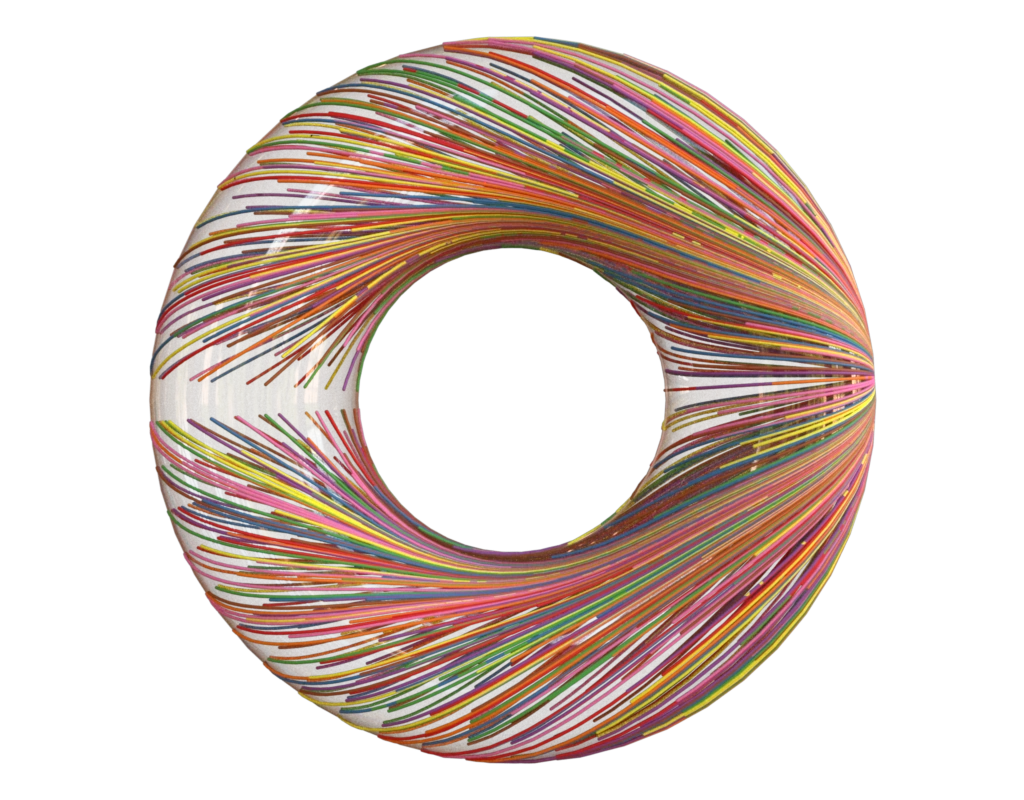
Method
generate_data.py creates a triangulated torus, samples target points, and uses Lagrange's GeodesicEngineFlip to compute the paths. geodesics.py renders the curve mesh and computes connected-component IDs for categorical path colors.
Regenerate the mesh inputs and both renders with:
Input contract
torus: surface fromdata/donut.obj; no pre-existing attributes required.paths: curve fromdata/geodesics.obj; no pre-existing attributes required.
Reproduce and inspect
Python · Manifest · Inspection · Canonical JSON · Validation
Code
#!/usr/bin/env python

import hakowan as hkw
import numpy as np

base = hkw.layer("data/donut.obj").material("ThinDielectric").name("Torus")
paths = (
    hkw.layer("data/geodesics.obj")
    .mark("Curve")
    .channel(size=hkw.channel.Size(3, space="screen"))
    .name("Geodesic Paths")
    .transform(hkw.transform.Compute(component="path_id"))
)
paths = paths.material(
    "Principled", hkw.texture.ScalarField("path_id", categories=True, legend=False)
)

fig = (
    hkw.Figure(base + paths)
    .camera("perspective", up=[0, 0, 1], eye=[0, -3, 0])
    .environment(up=(0, 0, 1))
)

RECIPE_FIGURE = fig
RECIPE_INSPECTIONS = {
    "torus": "data/donut.obj",
    "paths": "data/geodesics.obj",
}

hkw.render(fig, filename="results/geodesics.html")
hkw.render(fig, backend="mitsuba", filename="results/geodesics.webp")