Flowers
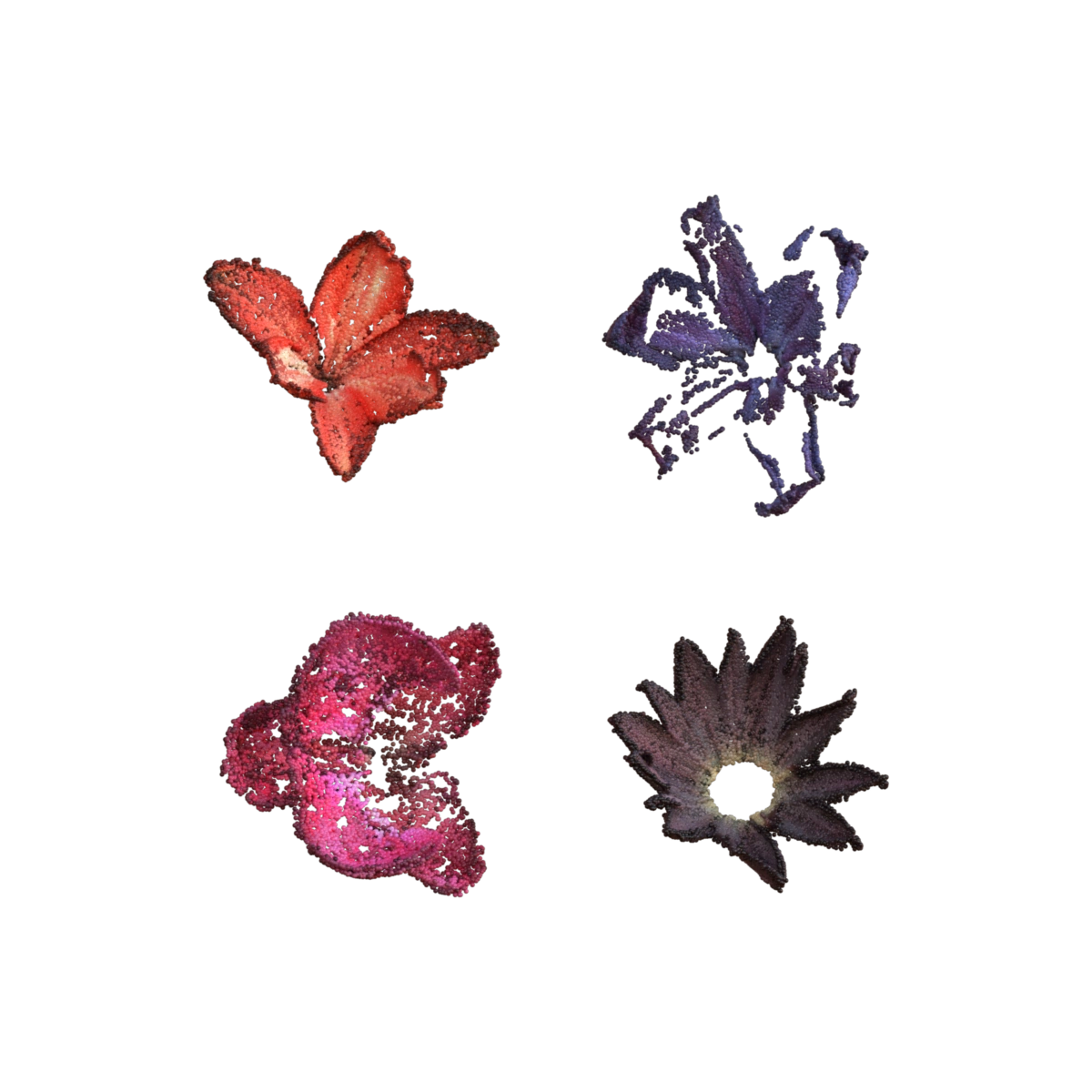
This example renders four scanned flower point clouds with their captured RGB colors in a normalized 2×2 grid. Screen-space point marks and an orthographic camera show the scans from their acquisition side; the orchid receives an additional rotation.
Data
The data is from the 4D Reconstruction of Blooming Flowers project (Computer Graphics Forum, 2017). The bundled scans are golden_lily_130.pcd, lily_127.pcd, orchid_113.pcd, and water_lily_72.pcd.
The project's data and code are free for research and education use only. The authors require citing their paper when using any part of their algorithm, code, data, or results in a publication:
Qian Zheng, Xiaochen Fan, Minglun Gong, Andrei Sharf, Oliver Deussen, and Hui Huang. “4D Reconstruction of Blooming Flowers.” Computer Graphics Forum 36(6), 405–417, 2017.
The PCD loader decodes packed RGB into a three-channel uint8 vertex attribute named color. The renderer scales it from 0–255 to 0–1 and uses the identity colormap without a legend. No preprocessing is required.
Render
With Hakowan and its Mitsuba and WebGL backends installed, run from this directory:
This writes the 1200×1200 static image to results/flowers.webp and the interactive viewer to results/flowers.html.
Input contract
golden_lily_130: point-cloud fromdata/golden_lily_130.pcd;color(vertex 3-channel color).lily_127: point-cloud fromdata/lily_127.pcd;color(vertex 3-channel color).orchid_113: point-cloud fromdata/orchid_113.pcd;color(vertex 3-channel color).water_lily_72: point-cloud fromdata/water_lily_72.pcd;color(vertex 3-channel color).
Reproduce and inspect
Python · Manifest · Inspection · Canonical JSON · Validation
Code
#!/usr/bin/env python
"""Render the four colored PCD flower scans in a 2×2 grid."""

import math
from pathlib import Path

import hakowan as hkw


ROOT = Path(__file__).resolve().parent
PCD_FILES = sorted((ROOT / "data").glob("*.pcd"))

# Lagrange's PCD loader decodes packed RGB into a uint8 vertex attribute.
vertex_color = hkw.texture.ScalarField(
    hkw.attribute("color", scale=1 / 255),
    colormap="identity",
    legend=False,
)
flowers = []
for path in PCD_FILES:
    flower = (
        hkw.layer(path)
        .name(path.stem.replace("_", " ").title())
        .mark("Point")
        .channel(size=hkw.channel.Size(data=5, space="screen"))
        .material("Principled", vertex_color, roughness=0.0, metallic=0.1)
        # View the scans from their acquisition side, with image Y pointing up.
        .rotate(axis=[1, 0, 0], angle=-math.pi / 2)
    )
    if "orchid" in path.stem:
        flower = flower.rotate(axis=[0, 1, 0], angle=-math.pi / 2)
    flowers.append(flower)

RECIPE_FIGURE = hkw.Figure(
    hkw.grid(flowers, columns=2, normalize=True, gap=0.15),
    hkw.SceneSettings(
        camera=hkw.OrthographicCamera(eye=(0, 0, 5), scale=2.2),
        output=hkw.OutputSettings(width=1200, height=1200),
    ),
)
RECIPE_INSPECTIONS = {path.stem: path for path in PCD_FILES}


if __name__ == "__main__":
    results = ROOT / "results"
    results.mkdir(exist_ok=True)
    hkw.render(RECIPE_FIGURE, backend="mitsuba", filename=results / "flowers.webp")
    hkw.render(RECIPE_FIGURE, backend="webgl", filename=results / "flowers.html")